
Last Updated: 2026-05-19
Data Extension sync lag diagnosis begins with detecting the gap between when your source system updates and when SFMC reflects those changes—often invisible until campaigns deploy against stale data. Most enterprises discover sync lag only after triggered sends fire to outdated segments or journey enrollments miss critical timing windows, making proactive diagnosis essential for operational reliability.
Your SFMC data extensions are syncing. Your monitoring dashboard reports successful completion. But they're delivering data that's 15 minutes behind your source system, and marketing operations teams typically don't discover this gap until revenue-impacting campaigns have already deployed against outdated audience segments.
Why Data Extension Sync Lag Breaks Revenue-Critical Campaigns

Is your SFMC instance healthy? Run a free scan — no credentials needed, results in under 60 seconds.
Data Extension sync lag diagnosis matters because the failure mode is silent until it impacts customer experience. Unlike obvious system failures that trigger alerts, sync lag presents as successful sync operations while delivering stale data to active campaigns.
Triggered Send Scenarios
When a data extension syncs with 90-second lag, triggered sends based on real-time behavior fire against outdated customer status. A purchase confirmation email might send to the wrong shipping address, or a cart abandonment campaign might target customers who already completed their purchase. The sync reports success while delivering incorrect personalization data.
Journey Enrollment Timing
Customer journeys with tight enrollment windows become unreliable when data extension sync lag exceeds the journey's expected cadence. An hour-long promotional window combined with 45-minute sync lag means qualifying customers enter after offers expire, breaking the campaign logic and reducing conversion rates.
Audience Segmentation Drift
Most enterprises segment audiences based on recent behavioral or demographic changes. When data extensions lag behind source systems, segments reflect outdated customer states. A customer who upgraded their service tier might continue receiving basic-tier messaging because their data extension hasn't reflected the change, creating brand inconsistency and reduced engagement.
What SFMC Native Monitoring Can't Detect

Data Extension sync lag diagnosis requires visibility beyond SFMC's built-in Activity Monitor, which tracks sync completion but not data freshness or accuracy.
Activity Monitor Limitations
SFMC's Activity Monitor shows sync job status—success or failure—but doesn't measure the time gap between source system updates and data extension reflection. A sync can report "Completed Successfully" while delivering two-hour-old data because the source query retrieved stale information or network latency delayed data transfer.
The Activity Monitor also lacks row-count change detection over time. A data extension might sync successfully but show unexpected row count variations that indicate upstream data quality issues or query logic problems affecting sync reliability.
Missing Operational Signals
Native monitoring doesn't track API response times per sync operation, making it impossible to detect performance degradation before it causes timeouts. Query duration increases often precede sync failures, but SFMC logging doesn't surface these early warning signals to administrators.
Source system dependencies remain invisible to SFMC monitoring. When your CRM database experiences performance issues or network connectivity degrades, SFMC sync jobs may complete with partial data or timeout silently, reporting success while missing critical customer records.
How to Diagnose Data Extension Sync Lag Root Causes

Data Extension sync lag diagnosis follows a systematic approach examining five primary failure modes, each with distinct detection signatures and diagnostic signals.
API Throttling and Rate Limits
API rate limiting causes sync operations to queue or retry, introducing delays between sync initiation and completion. SFMC enforces per-hour API quotas that vary by edition and shared across all integrations accessing your instance.
Monitor API response codes for 429 (Rate Limit Exceeded) errors in sync logs, which indicate your sync operations are hitting quota boundaries. Track sync duration increases during peak integration periods when multiple systems compete for API access.
Diagnostic signals include sync jobs taking longer during business hours compared to overnight operations, suggesting quota contention with other integrations. Review your API usage patterns across all connected systems to identify quota consumption spikes that coincide with sync delays.
Query Complexity and Performance Degradation
Complex SQL queries powering data extension syncs slow down over time as source tables grow or schema changes add processing overhead. Poorly optimized joins across large tables introduce linear performance degradation that compounds monthly.
Examine query execution times in your source system logs, looking for gradual increases in sync-related database operations. A query that executed in 30 seconds six months ago but now takes 4 minutes signals schema or indexing changes affecting sync performance.
Database locking during high-traffic periods can delay sync operations without generating obvious errors. Monitor source system query queues for sync-related operations waiting behind long-running reports or batch processes that block table access during scheduled sync windows.
Source System Availability and Dependencies
Source system downtime or degraded performance directly impacts data extension sync reliability, but SFMC logs typically show generic "connection timeout" errors without upstream context.
Track source database availability and response times independently from SFMC sync status. A pattern of sync delays correlating with source system maintenance windows or performance issues indicates infrastructure dependencies affecting sync reliability.
Network latency between SFMC and source systems introduces variable delays that compound during large data transfers. Monitor network performance metrics for sync-heavy periods to identify connectivity issues masquerading as SFMC problems.
Incremental Sync Logic Failures
Incremental sync configurations rely on timestamp or change-tracking fields to identify new or modified records since the last sync operation. When these tracking mechanisms fail, syncs may miss data updates or process entire datasets unnecessarily.
Verify incremental sync filter logic against source system change timestamps. A common failure mode occurs when source systems update records without modifying the timestamp field used for incremental detection, causing SFMC to skip changed data.
Review sync job logs for unexpected row count variations. Incremental syncs showing dramatically different record volumes between runs often indicate timestamp tracking issues or query logic problems affecting change detection accuracy.
Schema Changes and Field Mapping Issues
Source system schema modifications can break data extension sync operations silently, with sync jobs completing successfully while mapping incorrect or truncated data to SFMC fields.
Monitor source system schema change logs for modifications affecting fields mapped to your data extensions. New fields, data type changes, or field deletions often require corresponding updates to sync configurations that administrators miss during routine database maintenance.
Track data validation errors in sync logs for field mapping mismatches. When source data types no longer align with data extension field definitions, syncs may complete while truncating or converting data incorrectly, introducing quality issues invisible to standard monitoring.
What to Monitor for Early Sync Lag Detection

Data Extension sync lag diagnosis depends on monitoring upstream signals before lag becomes visible in campaign performance, requiring operational visibility across source systems, network infrastructure, and SFMC sync operations.
Pre-Sync Detection Signals
Monitor source system query performance metrics for sync-related operations, establishing baseline execution times and alerting on performance degradation before it causes SFMC timeouts. Track database lock wait times and connection pool utilization during scheduled sync windows.
Implement network latency monitoring between source systems and SFMC endpoints, alerting on connectivity issues before they manifest as sync delays. Monitor API quota consumption across all SFMC integrations to predict rate limiting before it impacts sync operations.
Post-Sync Validation Metrics
Compare data extension row counts against source system record volumes to detect incomplete syncs that report successful completion. Track timestamp gaps between source system updates and data extension reflection to measure actual sync lag.
Monitor data extension freshness by comparing key fields against source system values, detecting cases where syncs complete successfully but deliver stale data due to incremental logic failures or caching issues.
Campaign-Impact Prevention
Implement pre-deployment validation checks comparing audience segments against recent source system changes, catching sync lag before campaigns deploy against outdated data. Monitor journey enrollment volumes for unexpected variations that indicate sync-dependent audience changes.
Track triggered send performance metrics for anomalies suggesting personalization data lag, such as increased unsubscribe rates or decreased engagement on behavior-triggered campaigns relying on recent customer actions.
Why Enterprise SFMC Instances Need Unified Sync Lag Visibility
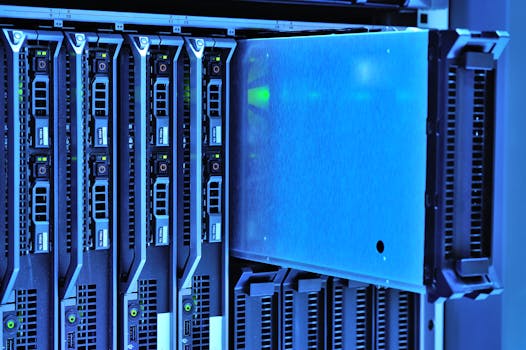
Enterprise marketing operations managing multiple data extensions across business units face amplified sync lag diagnosis challenges when each extension operates on different schedules with varying business criticality levels.
Most large SFMC instances run 50+ data extensions with different sync frequencies—some updating hourly for real-time campaigns while others refresh daily for reporting purposes. Without unified monitoring, administrators lack visibility into which extensions are lagging and how delays cascade across interconnected campaigns.
Cross-functional teams often manage their own data extensions independently, using informal monitoring approaches or relying on user complaints to detect sync issues. This fragmented visibility means sync lag in one business unit's data extension can impact shared campaigns or audience segments without clear attribution to the root cause.
Revenue-critical data extensions require different monitoring thresholds than operational reporting extensions, but most enterprises lack frameworks for prioritizing sync lag diagnosis efforts based on business impact. A 10-minute delay in customer service status updates demands immediate attention while a similar delay in monthly cohort analysis may be acceptable.
The operational challenge compounds when data extensions feed each other through automation studio workflows, creating dependency chains where upstream sync lag propagates downstream with multiplicative delays affecting multiple campaign sequences simultaneously.
Operational Monitoring for Data Extension Sync Lag Prevention
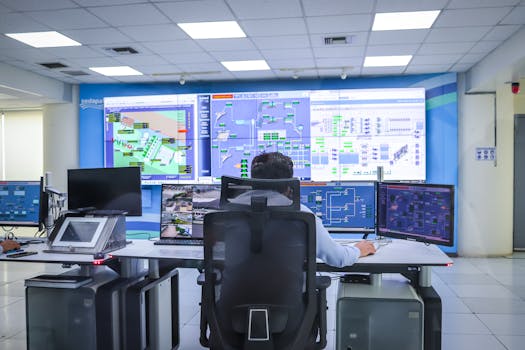
Preventing data extension sync lag requires read-only monitoring access to SFMC APIs, source system performance metrics, and network infrastructure monitoring integrated into operational workflows that alert teams before campaigns deploy against stale data.
Read-Only API Monitoring
Operational monitoring systems track data extension sync patterns through read-only API access, measuring row count changes, timestamp freshness, and sync duration trends without requiring administrative credentials or system modifications. This approach provides visibility into sync health while maintaining security boundaries appropriate for enterprise environments.
API monitoring reveals sync performance patterns invisible to standard SFMC reporting, including gradual sync duration increases that predict future timeouts and API response time variations that indicate infrastructure stress before failures occur.
Integration with Operational Workflows
Effective sync lag prevention integrates monitoring alerts into existing operational workflows through Slack notifications, PagerDuty incidents, or direct integration with marketing operations team communication channels. Alerts should specify affected data extensions, estimated business impact, and recommended response actions.
For comprehensive monitoring coverage across journeys, automations, data extensions, and sends—including the sync lag diagnosis capabilities discussed throughout this article—the complete SFMC monitoring guide provides enterprise implementation strategies and operational best practices.
Monitoring workflows should distinguish between sync lag requiring immediate attention versus acceptable delays based on campaign timing requirements and business unit priorities established during monitoring configuration.
Preventing Revenue Impact Through Proactive Sync Lag Diagnosis
Data extension sync lag diagnosis transforms from reactive troubleshooting to predictive prevention when operational monitoring detects performance degradation, dependency failures, and schema changes before they impact customer-facing campaigns. Enterprise SFMC instances require unified visibility across multiple data extensions with different business criticality levels, enabling teams to prioritize response efforts based on revenue impact rather than discovering issues through user complaints.
The key to reliable sync lag diagnosis lies in monitoring upstream dependencies—source system performance, network connectivity, API quota consumption—alongside SFMC sync status reporting. Organizations implementing comprehensive data extension monitoring typically reduce campaign failures from sync lag by 75% while improving time-to-detection from hours to minutes.
Frequently Asked Questions
How long should data extension syncs typically take?
Data extension sync duration depends on record volume and query complexity, but most enterprise implementations should complete within 5-15 minutes for datasets under 100,000 records. Syncs consistently taking longer than 30 minutes often indicate query optimization opportunities or infrastructure bottlenecks requiring investigation.
What causes data extensions to sync successfully but show outdated data?
Successful syncs delivering stale data typically result from incremental sync logic failures, where timestamp-based change detection misses updated records, or source system caching delivering outdated query results to SFMC. This scenario requires comparing source system timestamps against data extension values to identify the lag source.
How can you monitor sync lag across multiple business units?
Enterprise sync lag monitoring requires unified visibility tools that track multiple data extensions simultaneously, prioritize alerts based on business criticality, and provide team-specific dashboards showing relevant extensions without overwhelming administrators with non-critical notifications. MarTech Monitoring provides this operational visibility for enterprise SFMC instances through read-only API access.
When should sync lag trigger immediate escalation versus routine investigation?
Revenue-critical data extensions supporting real-time campaigns or customer service operations should trigger immediate escalation for sync delays exceeding 15 minutes, while reporting-focused extensions may tolerate longer delays. Establish escalation thresholds based on downstream campaign timing requirements rather than arbitrary sync duration limits.
Related reading:
- SFMC Data Extension Sync Failures: The Hidden Cost of Partial
- SFMC Data Extension Sync: The Silent Orphan Row Problem
Stop SFMC fires before they start. Get monitoring alerts, troubleshooting guides, and platform updates delivered to your inbox.